
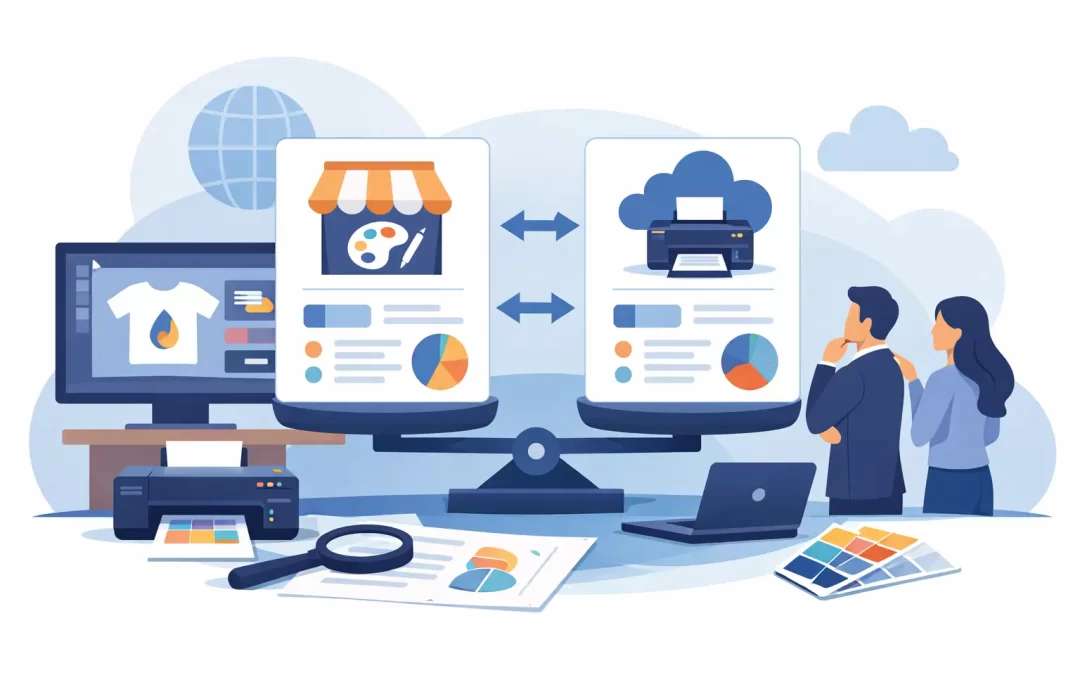
A web to print platforms comparison should start with the work your team needs to complete, not with a feature checklist. A restaurant group replacing seasonal menus, a real estate team ordering property flyers, and a corporate office controlling business card orders may all need online print ordering. They do not need the same portal, workflow, or level of support.
The right platform turns recurring print purchasing into a controlled, fast process. The wrong one creates a polished-looking storefront that still sends employees back to emails, spreadsheets, design questions, and last-minute production calls. For businesses that order printed collateral regularly, that difference affects brand consistency, turnaround time, and budget control.
What a Web-to-Print Platform Should Do
A web-to-print platform is more than an online catalog. At its best, it gives approved users a single place to select products, customize approved designs, submit orders, request approvals, and track fulfillment. It removes the repeated back-and-forth that comes with sending logos, old PDFs, and print specifications every time someone needs marketing materials.
For a growing business, the immediate win is speed. A sales representative can order cards from an approved template. A property manager can update contact information on a flyer without rebuilding the design. An event coordinator can reorder signs, banners, table displays, and postcards using the correct files and dimensions.
For a larger organization, the bigger benefit is control. Marketing can limit which items employees can order, lock key brand elements, assign permissions by department or location, and require approval before production. The portal becomes a practical extension of the brand standards, not another system employees have to work around.
Web to Print Platforms Comparison: 6 Buying Factors
Comparing platforms by the number of features alone can be misleading. A tool may offer dozens of settings but still be slow to set up, difficult for employees to use, or disconnected from the print partner that must produce and deliver the order. Focus on the six areas below.
1. Templates and Brand Protection
The strongest web-to-print systems make the right choice easy. Users should be able to choose an approved business card, flyer, brochure, postcard, signage layout, or presentation folder template and update only the fields they are allowed to change.
Look for controls that protect logos, colors, fonts, image placement, margins, and required legal language. Editable text fields are useful, but unrestricted editing can create off-brand materials just as quickly as no system at all. If your brand relies on strict campaign messaging or franchise-level consistency, locked templates matter more than unlimited design freedom.
There is a trade-off. A highly controlled template is ideal for repeat orders, but it may not work for a custom event display or a new product launch. The best setup gives employees simple, protected templates for routine collateral while still providing a path to request design help or submit a custom quote for unusual projects.
2. Ease of Ordering for Real Users
Your employees should not need print-production knowledge to place a correct order. The ordering experience should clearly show product options, quantities, paper or material choices, finishing upgrades, proof requirements, production timing, and delivery or pickup options.
Test the platform from the buyer’s perspective. Can a new employee order a business card in a few minutes? Can a busy office administrator locate an approved letterhead without searching through irrelevant products? Can a hotel team reorder branded door hangers for a specific property without accidentally selecting the wrong version?
Simple navigation improves adoption. If the process feels complicated, employees will bypass the portal and order through unofficial vendors, which defeats the purpose of centralized procurement.
3. Approval Workflows and User Permissions
Approval workflows are where a business portal begins to deliver real purchasing control. Not every user needs the same authority. A marketing manager may approve all campaign materials, while a local manager can order approved items up to a set budget. A regional director may need access to multiple locations, while individual staff members only see their assigned storefront.
Ask how the platform handles order routing. Can approvals be based on product type, dollar amount, department, or location? Can approvers see a clear preview before authorizing production? Can the system prevent an order from moving forward until the correct person signs off?
For smaller teams, complex approval chains can slow down urgent work. A practical platform should allow straightforward reorders to move quickly while keeping exceptions, high-value jobs, and custom artwork under review.
4. Print Range and Production Capability
A storefront is only as useful as the products behind it. If your organization uses business cards, flyers, brochures, postcards, envelopes, folders, window graphics, banners, posters, foam boards, acrylic signs, and event displays, check whether one production partner can handle that full range.
Using separate vendors for stationery, promotional collateral, and large-format signage often creates inconsistent color, fragmented invoices, and extra coordination. One centralized platform can simplify purchasing, but only if the printer has the equipment, materials, and production expertise to deliver across categories.
Speed deserves close attention here. Some providers build portals but send every job to distant production facilities, adding days to the process. That may be acceptable for planned bulk orders. It is not ideal for a Miami Beach restaurant that needs window graphics before a weekend promotion or an event team that needs display materials on a tight deadline.
Sobe Express combines branded corporate storefronts with hands-on production support, local pickup for qualifying rush orders, and nationwide shipping. That model is especially valuable when routine orders need self-service convenience but an urgent or complex job needs a real production team to step in.
5. Reporting, Budgets, and Procurement Visibility
A platform should make spending easier to understand, not harder to find. Reporting helps organizations see who is ordering, what they are ordering, which locations use the most materials, and where spending is increasing.
The exact reporting depth depends on your operation. A five-person agency may only need order history and easy invoice access. A multi-location retailer or hospitality group may need location-level reporting, cost-center coding, purchase order support, and budget rules. If finance teams are involved, ask whether reports can be filtered in ways that match how the company tracks expenses.
Useful data can also improve your print strategy. If teams repeatedly place small rush orders for the same item, a planned run and inventory program may reduce cost. If a location is ordering outdated collateral, order history can reveal the issue before it spreads.
6. Human Support When the Order Is Not Standard
Self-service is valuable until an employee has a question that a dropdown menu cannot answer. A logo may be too low-resolution for a banner. A mailing piece may need address-block guidance. A custom sign may require material recommendations based on indoor or outdoor use. A campaign may need a design adjustment before it is safe to turn into a template.
This is where platform-only providers can fall short. Their systems may efficiently process standard work but offer limited access to designers or print specialists. A print partner with in-house design support can help solve the exception without forcing your team to start over with another vendor.
When comparing support, ask who reviews problematic files, how proofs are handled, what happens when an order is time-sensitive, and whether you can reach a knowledgeable person during business hours. Fast answers protect deadlines.
Choose the Platform Model That Fits Your Organization
A simple online catalog works well for a small business with a few repeat products and one or two people placing orders. The setup is lighter, and the goal is convenience: keep approved files available, make reordering fast, and avoid hunting through old email threads.
A branded corporate storefront is a better fit when multiple employees, departments, locations, or franchises order print. It gives marketing and operations more control without requiring them to manually process every business card or flyer request. This is usually the right choice for hospitality groups, real estate offices, retail teams, agencies managing client brands, and organizations with frequent employee changes.
A custom procurement integration may make sense for larger companies with established purchasing systems and strict finance requirements. It can reduce duplicate data entry and improve compliance, but it requires more setup, testing, and internal coordination. Do not pay for enterprise-level complexity if a well-organized storefront and approval workflow will solve the actual problem.
Questions to Ask Before You Commit
Before selecting a provider, request a live demonstration using products your team actually orders. Ask to see a business card template, a marketing flyer with editable fields, a large-format item, an approval step, and a completed order report. Generic demos rarely expose the issues that appear in daily use.
Also ask how long setup takes, who builds the initial templates, how updates are requested, and whether there are minimum order volumes. Confirm production turnaround, shipping coverage, rush options, proofing practices, and who owns the artwork files. These details determine whether the portal becomes a dependable ordering tool or an abandoned project.
The best choice is the platform your team will use correctly when the deadline is tight. Build around the items your business orders most often, protect the brand elements that cannot change, and keep an experienced print partner within reach for everything that does.
Recent Comments